Installation
The Visual Studio integration is delivered separately of Testwell CTC++. It can be downloaded from Verifysoft's customer area.
Extract the downloaded package to a folder \Vs_integ in your Testwell CTC++ home directory and run the following scripts with administrator rights for your user
modify_msbuild_path.bat -install
vs_integ.bat -install
and follow the instructions on the screen.
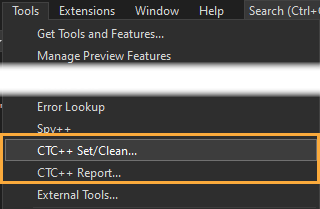
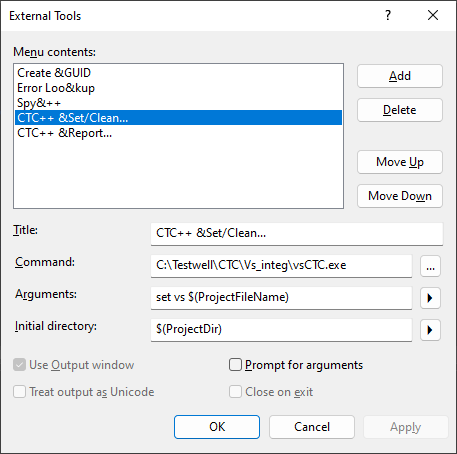
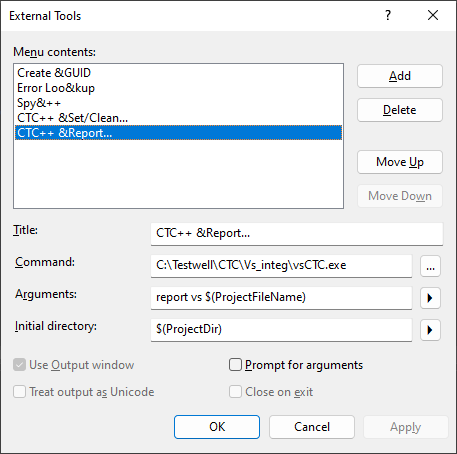
Two external commands "CTC++ Set/Clean..." and "CTC++ Report..." are added to Visual Studio's "Tools" menu. Environment variable CTCWRAPDIR is set to %TEMP%\ctc.
Below you can see the settings made by installation.
Note: To uninstall this Visual Studio integration, you can use the following
command:
vs_integ.bat -remove